
The file.kiwi “One-Click File Share” app for Windows is now available.
One-Click File Share is an app that creates and uploads a file.kiwi web folder directly from your PC.
Since the entire process is handled automatically, users only need to do two things.
- Right-click the selected file in File Explorer
- Paste the copied link into an email or chat.
No need to visit file.kiwi, no need to wait for the upload to complete, no need to copy the download link.
When you select a file, a download link is immediately created and saved to the clipboard.
No matter how large the file size is, it operates the same way as below.
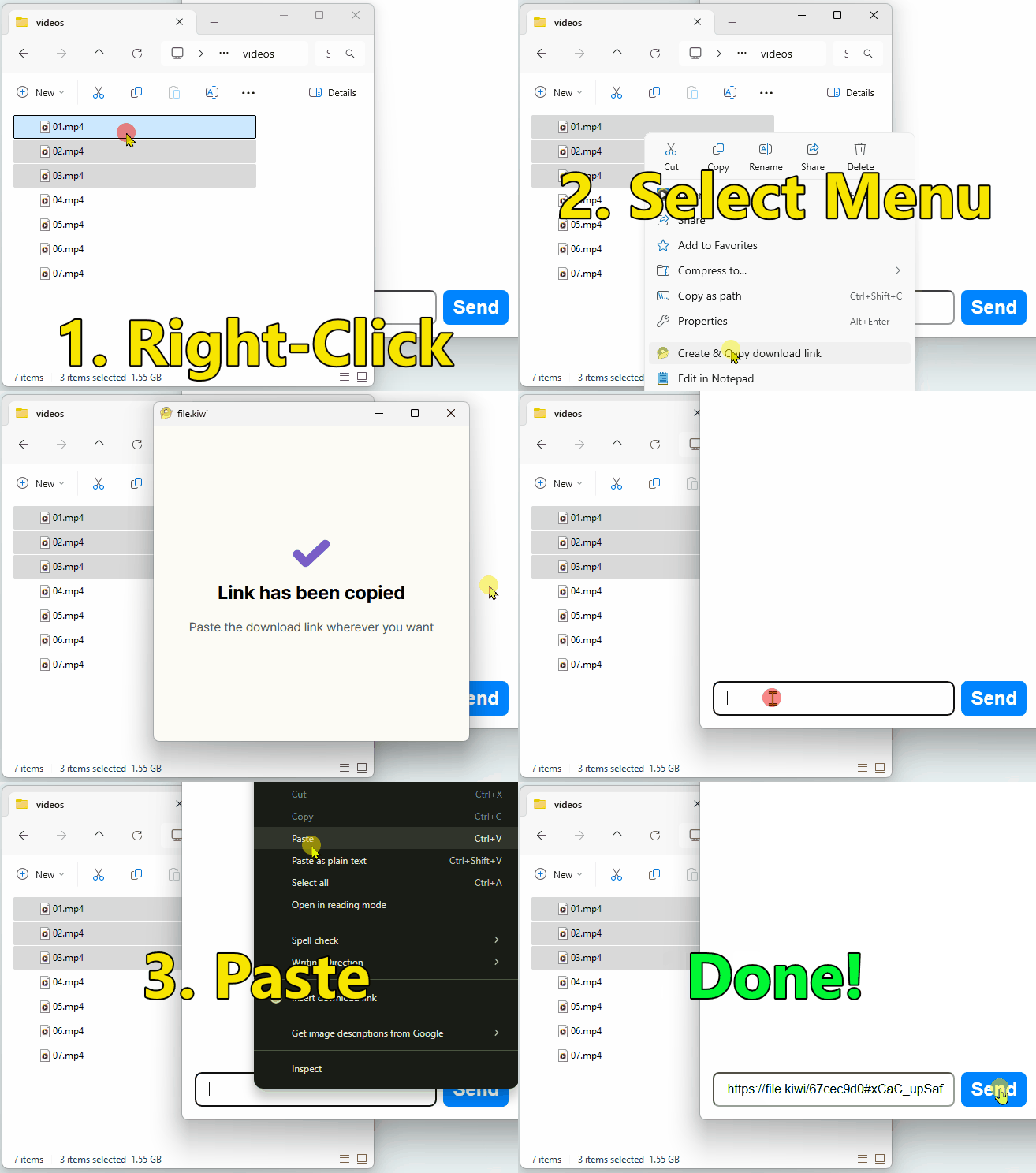
Because uploads are transferred in chunks, recipients can start downloading immediately.
Good to know
- Just like file.kiwi, there is no capacity limit.
- You can select and send multiple files at once. Folders are not supported.
- Keep the upload window open until the upload is complete.
Click the download link below to install.
