
One-click file attachment to Twitter - Attach unlimited files to Twitter
Introducing a Chrome browser extension that allows you to easily attach files to Twitter.
As you can see, it has advantages that cannot be found in any other app.
- Very simple to use. Just right-click (right-click) the area where you want to insert a web folder link to create a web folder. Just insert the file here and that's it.
- No need to wait for file upload. Normally, the link can be delivered to the other person only after the upload is complete, but with file.kiwi, the other person can start downloading even while the upload is in progress. No matter how large the capacity, the waiting time is 0, so transmission is possible immediately, like sending a link.
- It cannot be used only on Twitter, but can be used anywhere where text can be entered. You can use it anywhere, including Gmail, company webmail, and various bulletin boards.
This extension works in Chromium-based browsers, including Microsoft Edge.
How to use
Click the download link below to go to the Chrome Web Store.
Click the Add button.
After confirming once more, the Chrome extension app will be added.
You are now ready to use.
Now you can attach files directly from any input window where you can write text. (You can use it anywhere: blog, email, SNS)
Test it out right now and try it in the comments section below.
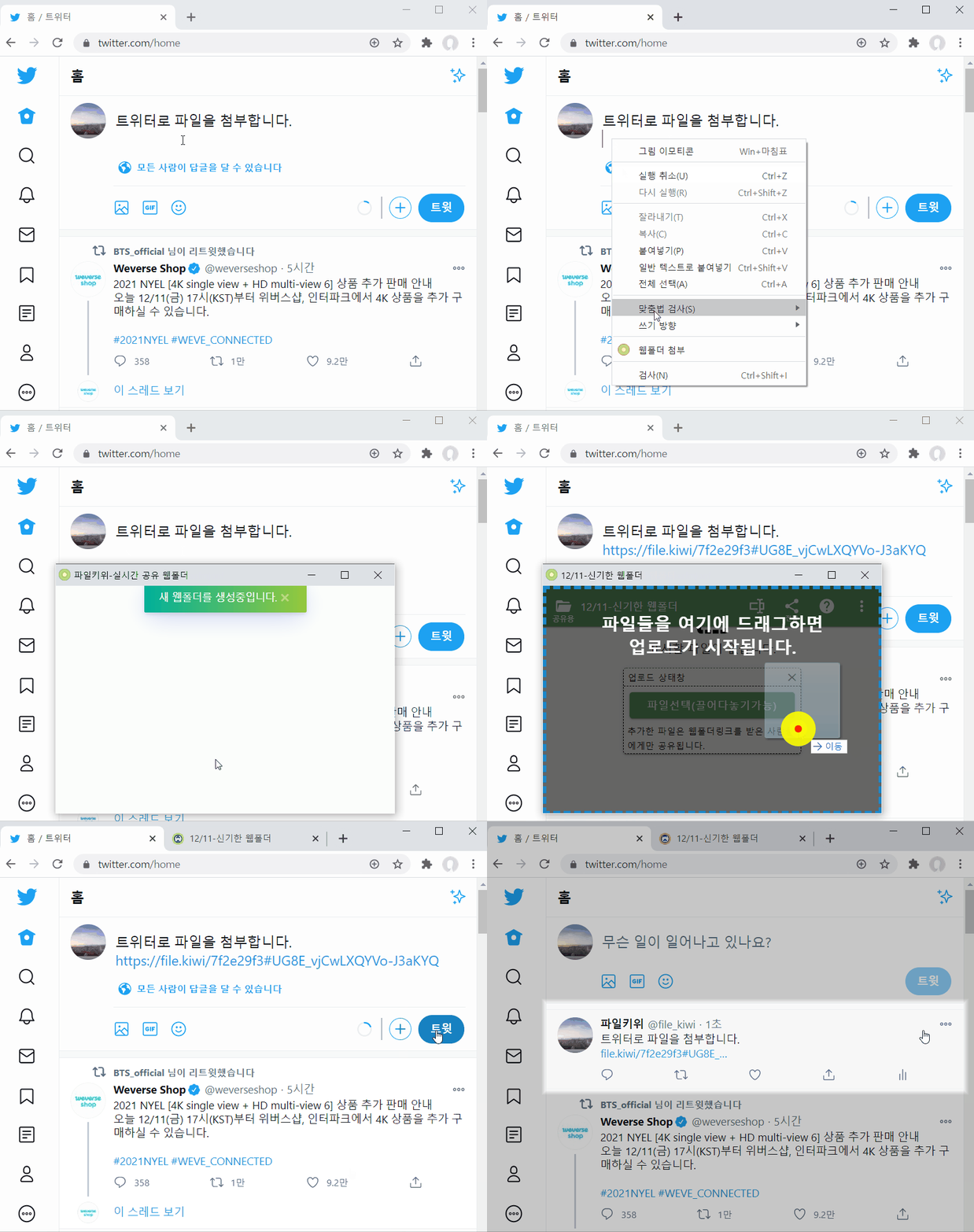
Move the mouse pointer to the comment input area. Just press the right button.
If you see the [Attach web folder] menu as shown above, it is normal.
When you click this menu, the file.kiwi window will pop up. A link is added as a web folder is created.
Once you select the file, it will start uploading, and now you just have to finish writing.